Outputs & exports
Pro forma & analysis
Read the cash flow annually or monthly, trace any cell, and reconcile Year 1 against the broker.
Pro Forma (⌘9) is the computed cash flow. Three tabs — Annual, Monthly, vs Broker — and a Single / Compare scenarios toggle. Every value is clickable: click any value for its math.
Annual
Section titled “Annual”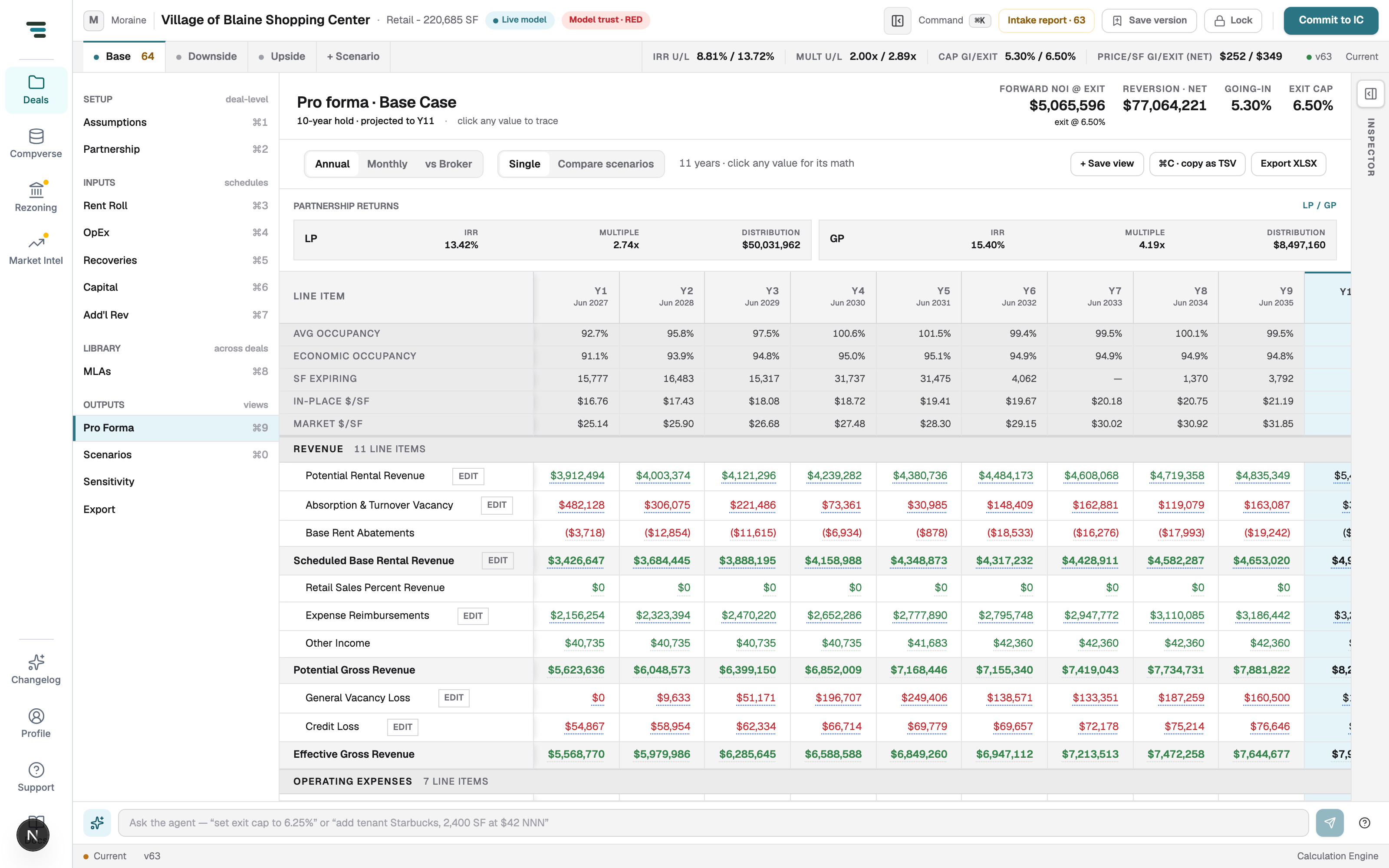
Rows with an EDIT chip jump to the input that owns them — the pro forma itself is never typed into. The header rail holds forward NOI at exit, net reversion, and the going-in/exit caps. ⌘C · copy as TSV copies the table for Excel; Export XLSX exports it; + Save view pins the current tab/filter combination.
Monthly
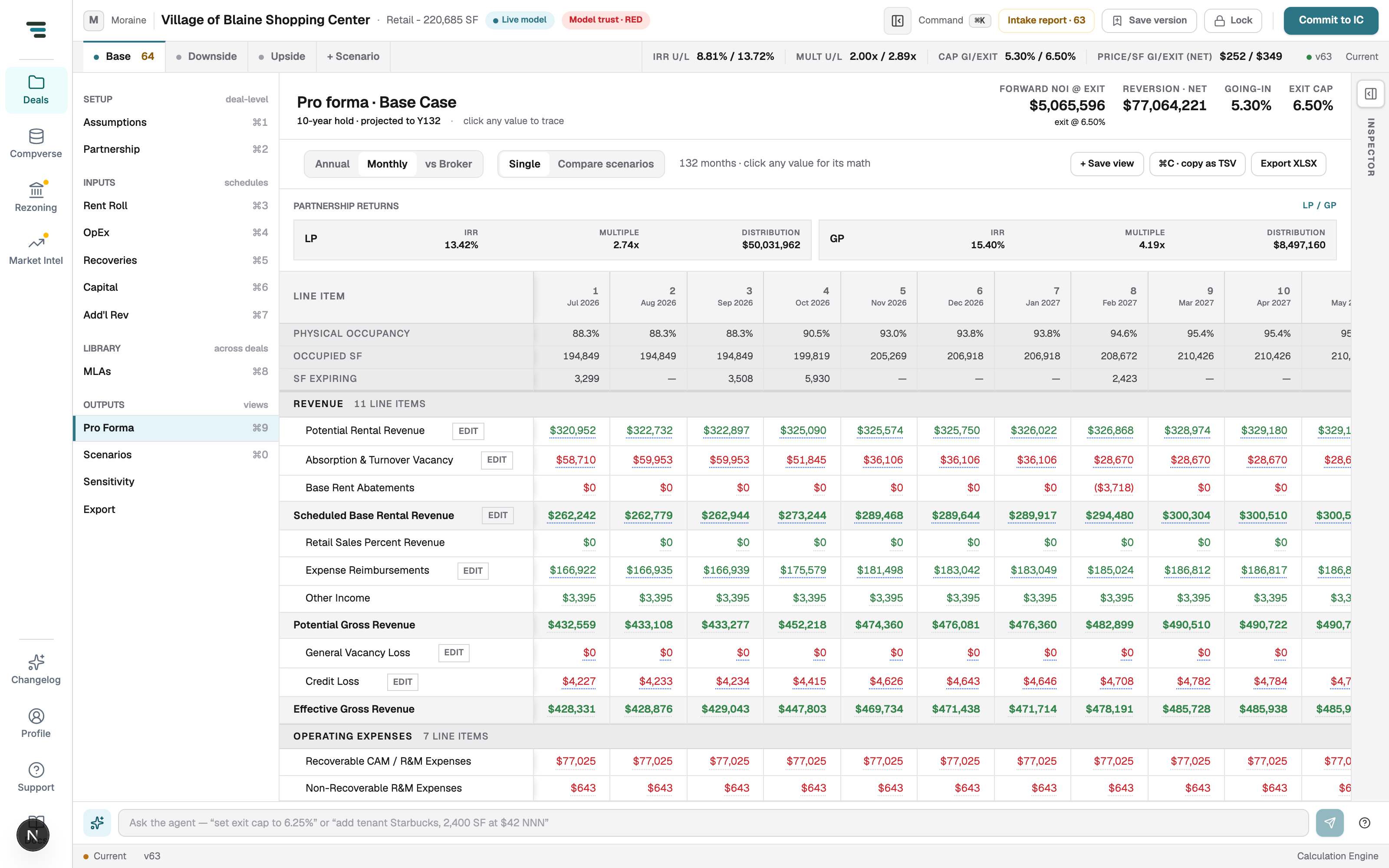
Section titled “Monthly”The same ledger at monthly grain — 132 months on a 10-year hold with the exit year projected. Use it when timing matters: absorption, abatement burn-off, a mid-year expiry.
vs Broker
Section titled “vs Broker”Your modeled Year 1 next to the broker’s pro forma, line by line, with the delta in dollars and percent, a severity Status chip, and the OM page citation (e.g. p.19) on every line.
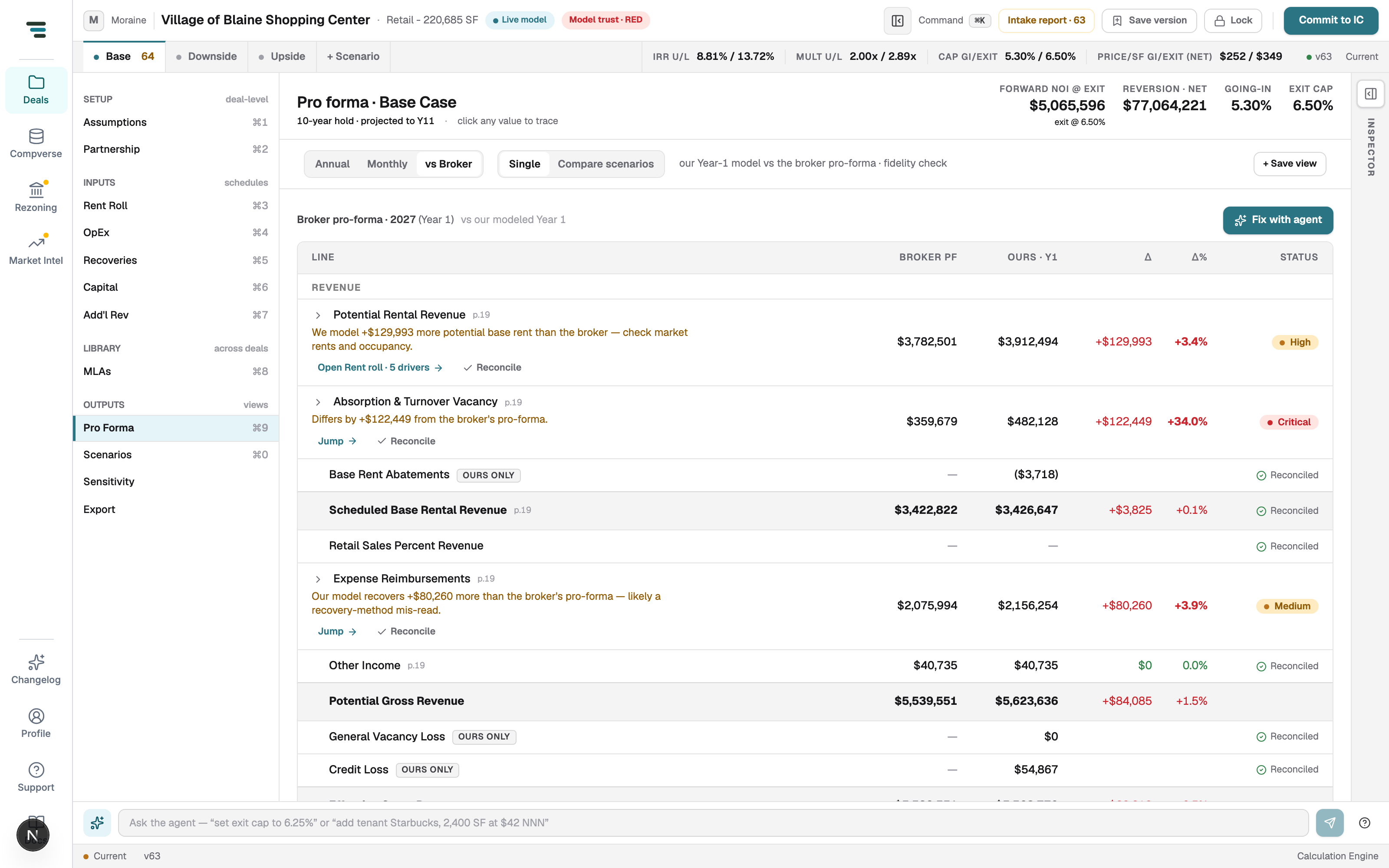
Each divergent line explains itself in words (“We model +$129,993 more potential base rent than the broker — check market rents and occupancy”), then offers Jump → (go to the driving input), Reconcile (accept the difference as intended), or Fix with agent. Work it top to bottom after an OM build — this is the fidelity check.