Work the model
Edit the model
Change deal-level assumptions by hand or ask the agent in plain language.
Two ways to change anything: click the value and type, or tell the agent what you want. Both recalculate the entire model immediately — the scenario bar’s IRR moves before your hand leaves the keyboard.
Assumptions — the deal-level values
Section titled “Assumptions — the deal-level values”Assumptions (⌘1) holds everything that isn’t a schedule:
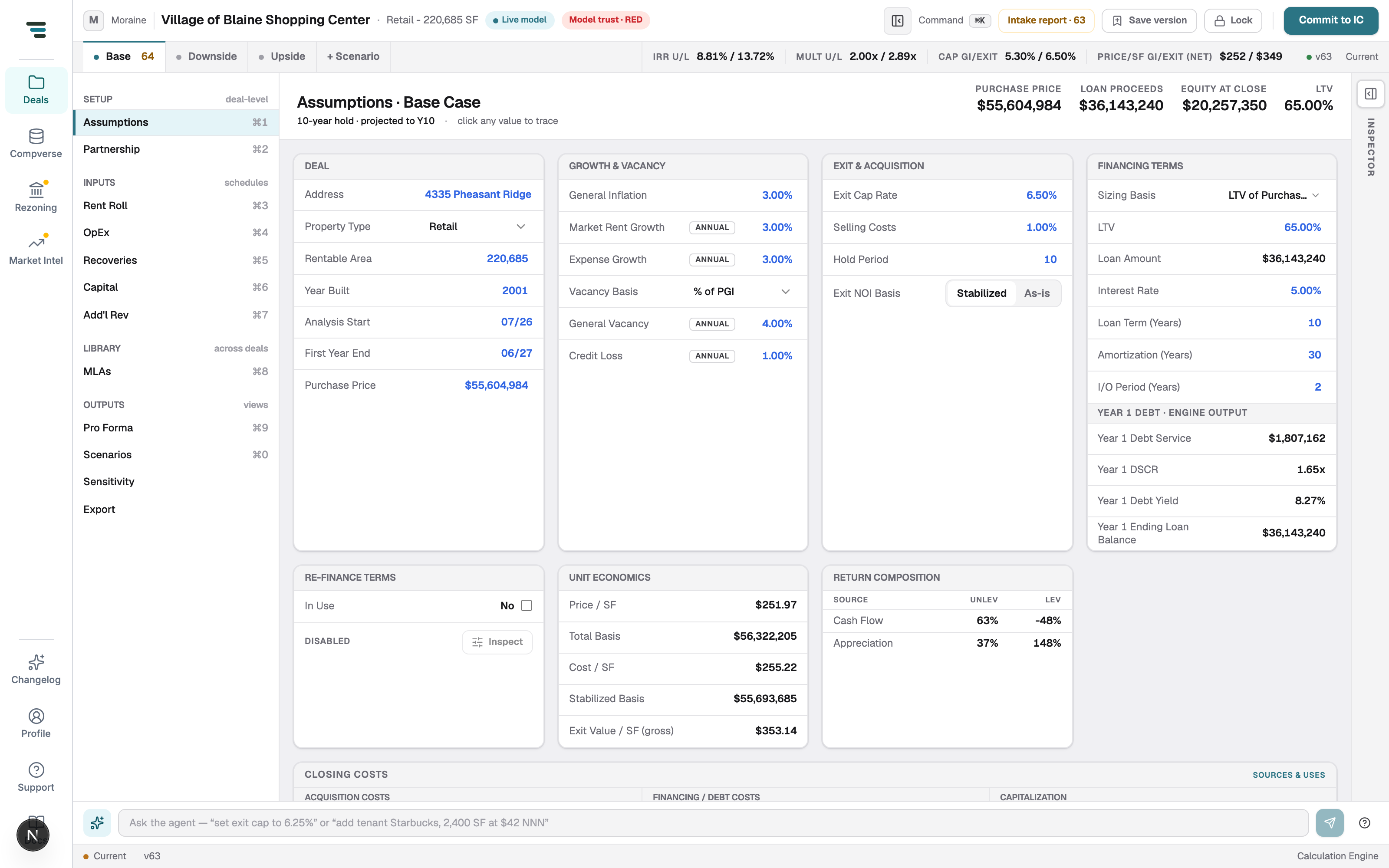
- Deal — address, property type, rentable area, year built, analysis start, first year end, purchase price.
- Growth & Vacancy — general inflation, market rent growth, expense growth, vacancy basis (% of PGR), general vacancy, credit loss. The ANNUAL chips accept per-year overrides.
- Exit & Acquisition — exit cap rate, selling costs, hold period, exit NOI basis (Stabilized / As-is).
- Financing Terms — see Debt & financing.
- Re-finance Terms — off by default (In Use: No).
- Unit Economics and Return Composition — computed read-backs: price/SF, total basis, and where the return comes from (cash flow vs appreciation).
To edit: click a value, type, Enter. ⌘Z undoes.
The agent — edits in plain language
Section titled “The agent — edits in plain language”The bar at the bottom of every view. Type what you want changed:
- “set exit cap to 6.25%”
- “add tenant Starbucks, 2,400 SF at $42 NNN”
-
Type the instruction and press Enter.
-
The agent answers with a changeset — the exact edits it proposes, each showing before → after. It never guesses values it can’t ground.
-
Accept items individually or Accept all. Accepted edits apply as one change — one ⌘Z takes the whole changeset back out.
Use the agent for cross-cutting edits (“waive admin fees for all inline tenants”) and the grid for surgical ones. On the vs Broker view, Fix with agent hands a divergence straight to it.