Inputs & Library
Recoveries
Edit who reimburses what — per-tenant treatments, expense pools, admin fees, and caps.
Recoveries (⌘5) answers one question per tenant: how much of the operating expenses do they pay back? The header rail shows total recovered over the hold, recovered $/SF/yr, and the recovery ratio (÷ reimbursable OpEx).
The treatment matrix
Section titled “The treatment matrix”One row per tenant: Share (their slice of the pool), Method (Net (NNN) and the other standard structures), fixed Amount where applicable, Admin Fee, Fee Skips, Doesn’t Recover exclusions, CAM Cap, and the resulting Recovered/yr.
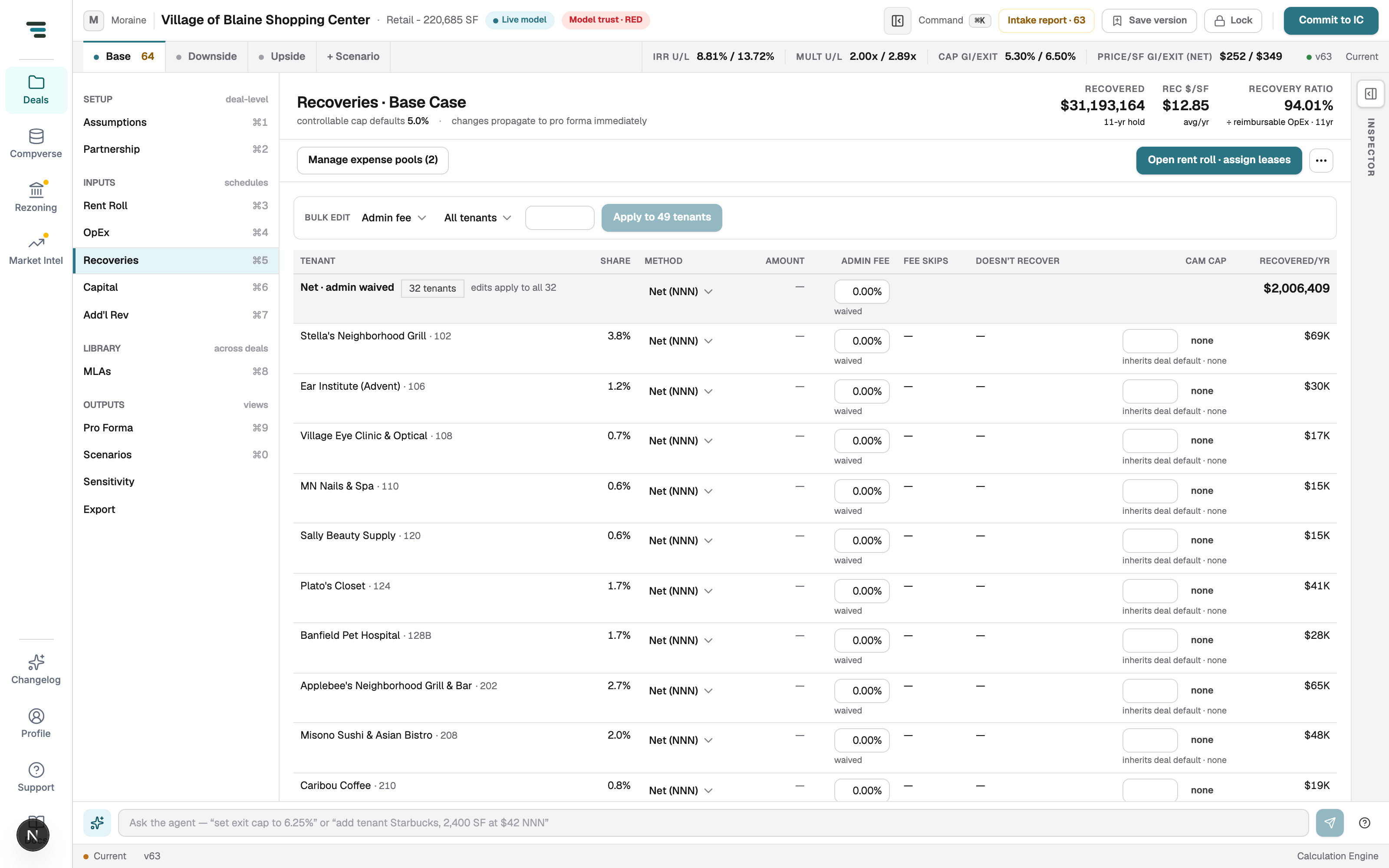
- Edit one tenant — change their row; the recovered column and header rail update immediately (“changes propagate to pro forma immediately”).
- Edit many — the BULK EDIT bar: pick a field (e.g. Admin fee), a target (All tenants or a filter), a value, Apply to N tenants.
- Fix a tenant’s method against the lease — Open rent roll · assign leases jumps to the rent roll’s lease-config columns.
Expense pools
Section titled “Expense pools”Manage expense pools (N) switches to the pool view: which expense lines are grouped into which reimbursable bucket.
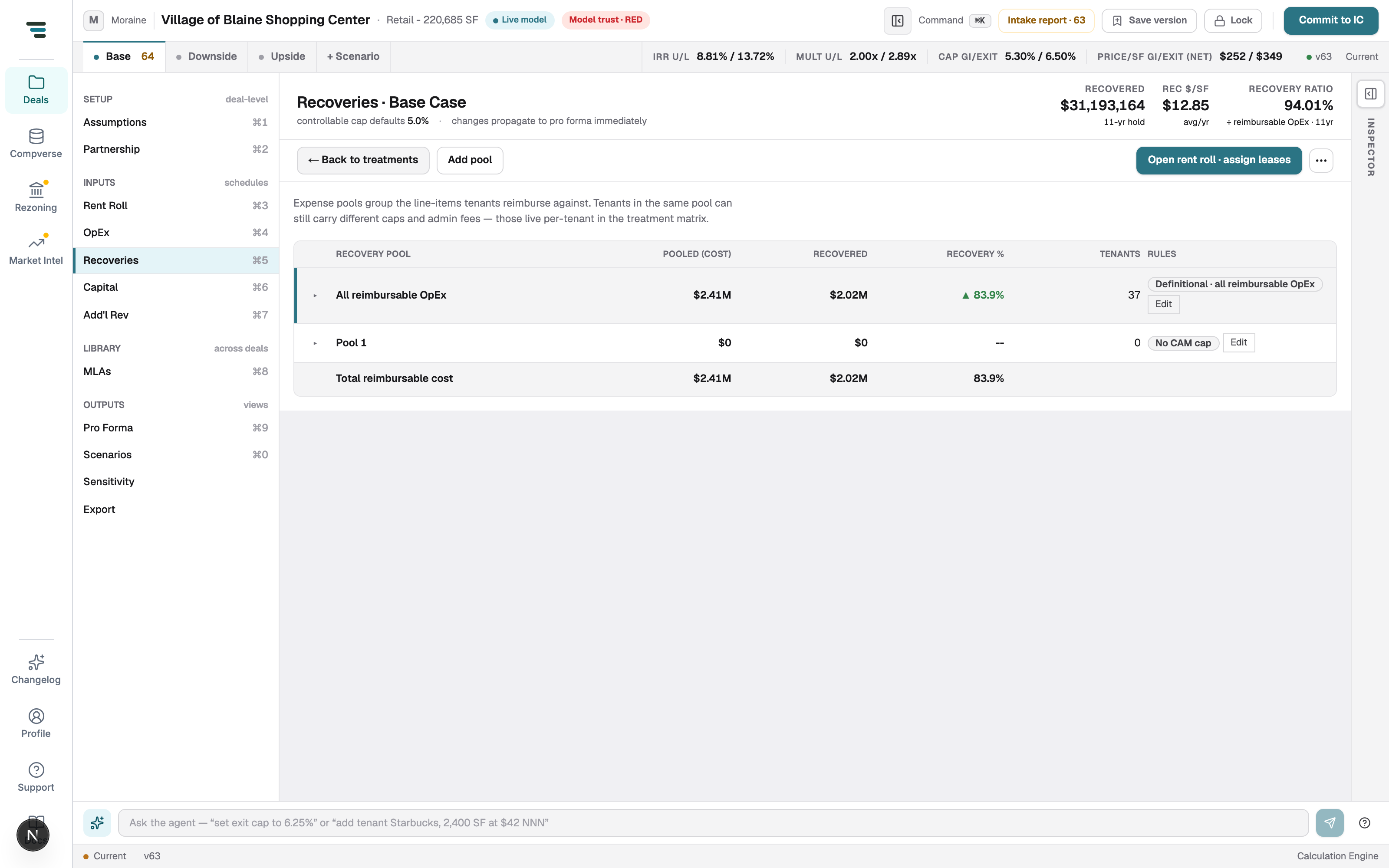
Most deals need one definitional pool (all reimbursable OpEx). Add pools only when different tenants genuinely reimburse against different expense sets. A pool matching zero expense lines recovers $0 — the intake report flags this.