Inputs & Library
MLA Profiles
Edit market leasing assumptions and control which profile every lease rolls to.
MLAs (⌘8) holds the market leasing assumptions — what a space earns after its lease expires: market rent, renewal probability, downtime, TI/LC, abatements, term. Every occupied row rolls to its assigned profile at expiry; every vacant row leases up from one.
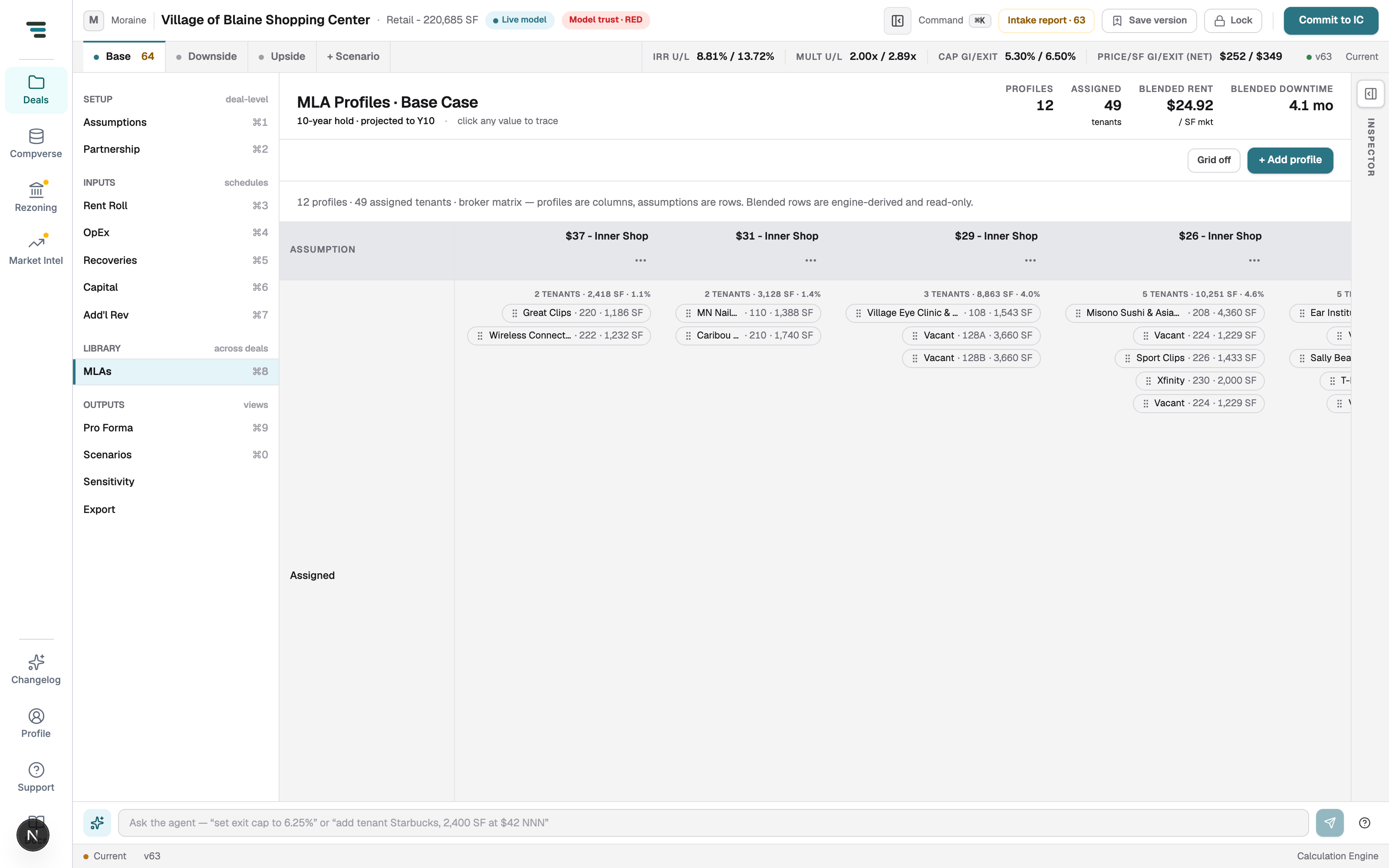
The header rail: profile count, Assigned tenants, blended market rent, and blended downtime. Blended rows in the matrix are engine-derived (renewal-probability-weighted New/Renewal) and read-only.
Edit and assign
Section titled “Edit and assign”- Edit an assumption — click the cell in the profile’s column. Every lease assigned to that profile re-rolls immediately.
- Reassign a tenant — drag its chip to another column, or set the MLA column on the Rent Roll.
- Add a profile — + Add profile. Grid off switches to a card layout.
Why this view deserves attention
Section titled “Why this view deserves attention”MLA assignment is where OM builds most often need correction: a legend read from a document can leave a tenant on a generic profile with the wrong rate. The rent roll’s MLA assigned stat and the intake report’s open items both point here. An anchor on an inner-shop profile is a five-figure error per year — check the chips, not just the numbers.