Inputs & Library
Operating Expenses
Edit the expense ledger — amounts, bases, reimbursability — and see the recovery pools they feed.
OpEx (⌘4) is the expense ledger. The header rail shows Y1 OpEx in dollars and $/SF, the OpEx ratio (% of EGI), and the recovery ratio — so an expense edit shows its reimbursement consequence immediately.
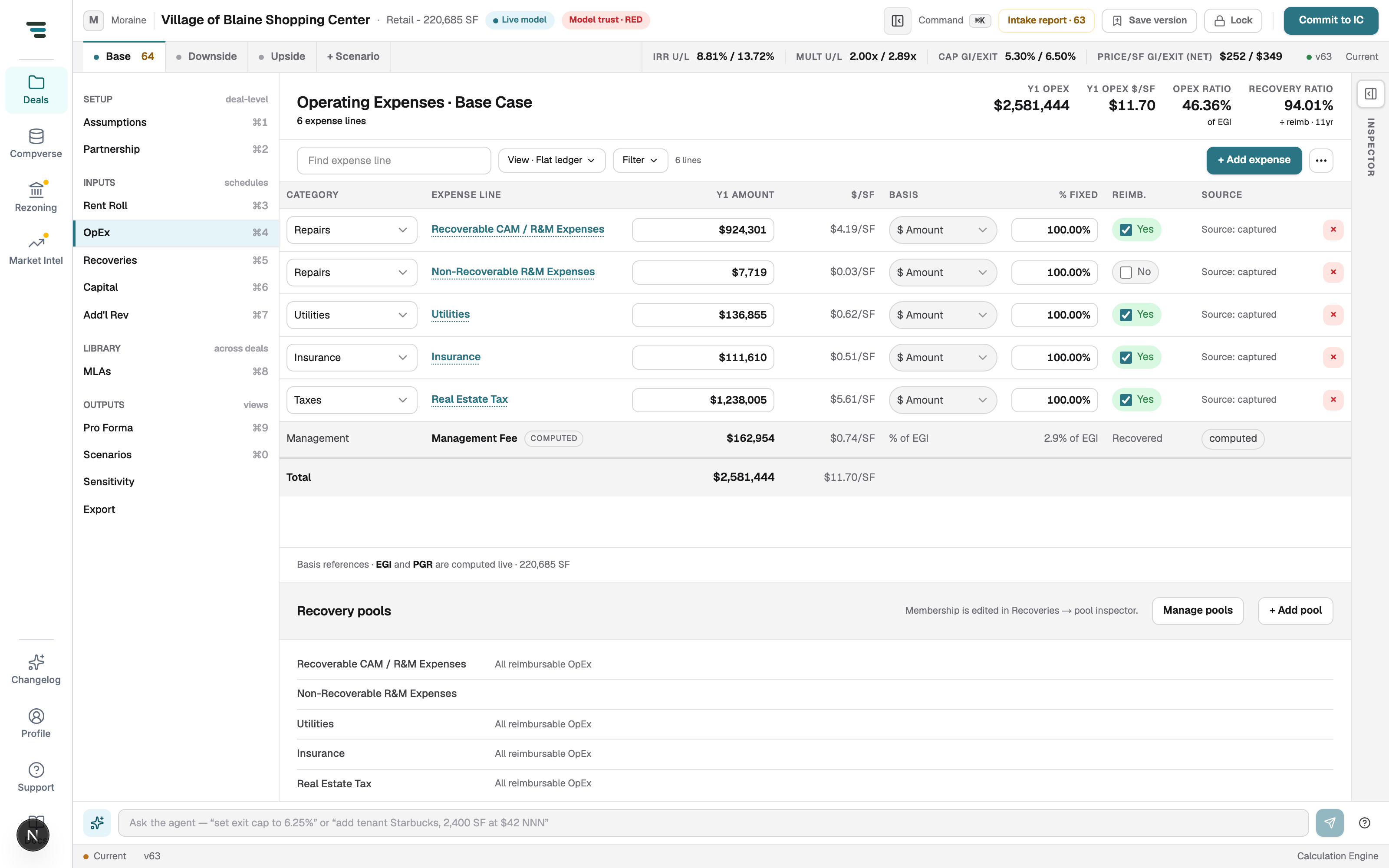
Each row: Category (Repairs, Utilities, Insurance, Taxes…), the expense line name, Y1 Amount, computed $/SF, Basis ($ Amount or % of EGI), % Fixed (the share that doesn’t scale with occupancy), Reimb. (whether tenants can recover it), and Source — where the number came from.
Common edits
Section titled “Common edits”- Change an amount — click, type, Enter. Growth applies from the Assumptions Expense Growth rate unless a line overrides it.
- Make a line non-recoverable — untick Reimb.; the recovery ratio in the header moves instantly.
- Add a line — + Add expense. Delete with the ×.
- Find a line — the Find expense line box; View · Flat ledger and Filter reshape the table.
Recovery pools live here too
Section titled “Recovery pools live here too”Below the ledger, Recovery pools lists which pools each expense line feeds. Membership is edited in Recoveries → pool inspector — the Manage pools button jumps there. See Recoveries.