Inputs & Library
Debt & financing
Set the loan on the Assumptions view and read the debt the engine produces.
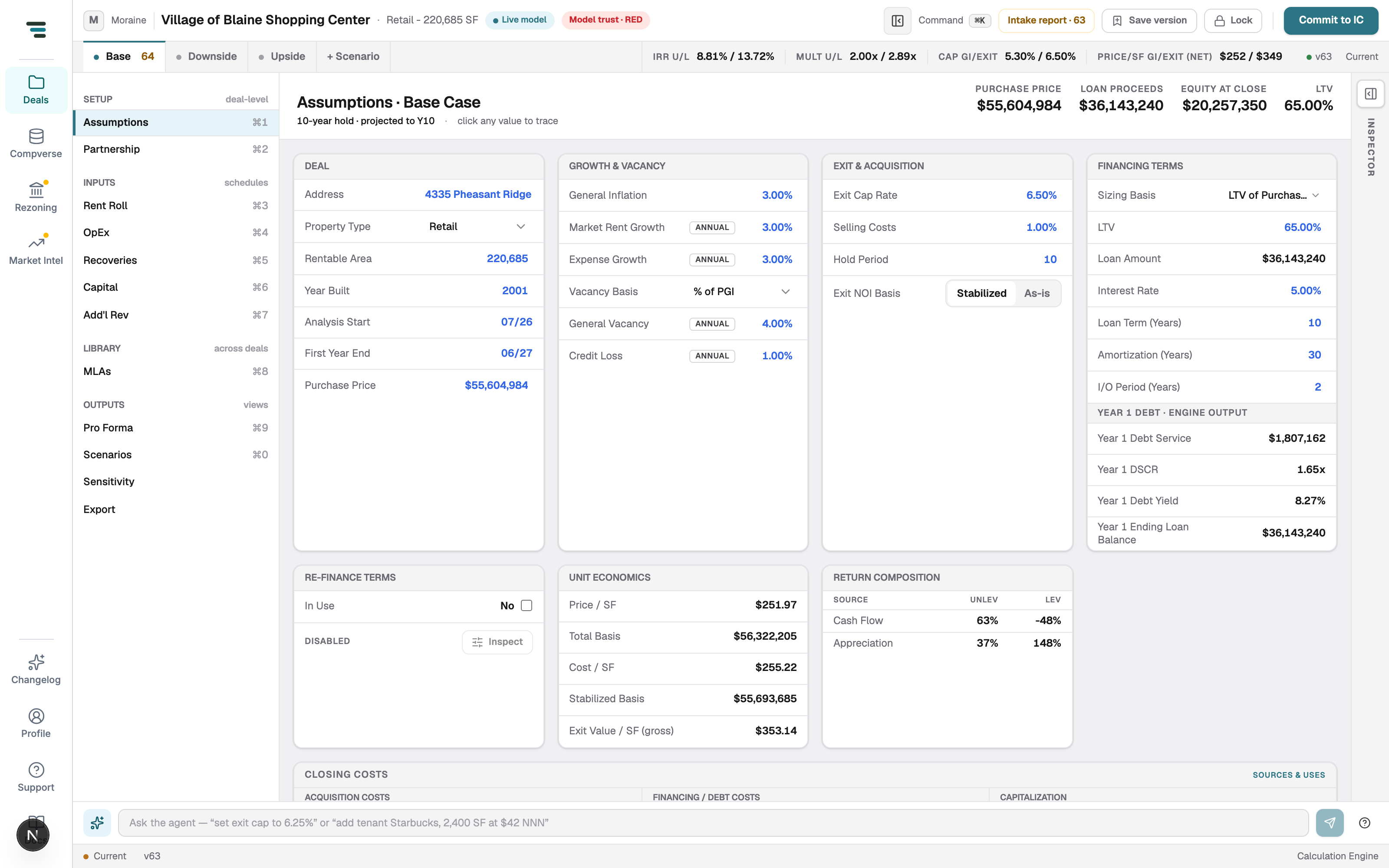
Debt lives on Assumptions (⌘1), in the Financing Terms card. Inputs on top, engine output below — you set the terms, the engine sizes the loan and reports the coverage.
Set the loan
Section titled “Set the loan”- Sizing Basis — how the loan is sized (e.g. LTV of Purchase Price); the dropdown lists the alternatives.
- LTV — with LTV sizing, this drives Loan Amount (computed).
- Interest Rate, Loan Term (Years), Amortization (Years), I/O Period (Years) — the note’s terms.
The engine block reads back Year 1 Debt Service, DSCR, Debt Yield, and Ending Loan Balance. The header rail above the cards shows loan proceeds, equity at close, and LTV; the scenario bar’s levered IRR moves with every term you touch.
Refinance
Section titled “Refinance”The Re-finance Terms card ships off (In Use: No, marked DISABLED). Tick In Use to add a refinance event; Inspect traces what it does once enabled. Off by default is deliberate — see Limitations.