Start here
Getting started
What Moraine is, the three ways to start a model, and the loop from documents to workbook.
Moraine underwrites commercial real estate from source documents: you bring a deal’s paperwork, extraction builds a 10-year DCF, and every number traces back to the page it came from. Edits recalculate the whole model instantly — nothing is a spreadsheet cell you can silently break.
In a hurry? The Quick start is one pass through the product in eight steps.
Start with what you have
Section titled “Start with what you have”Every deal’s underwriting begins at the same launcher — “How do you want to start?” — with three lanes. All three feed the same editable model.
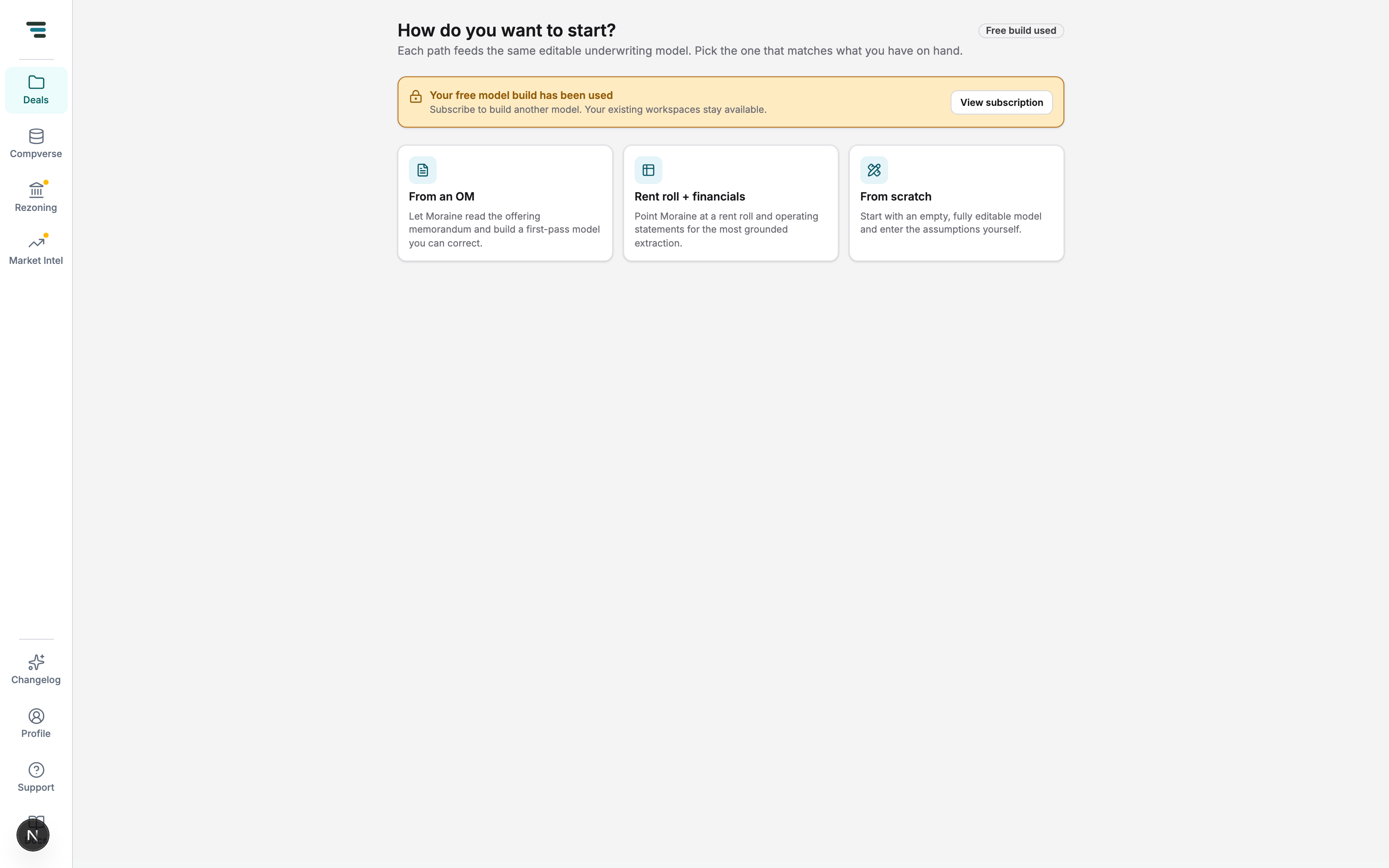
- You have an offering memorandum. The investor’s screening path: drop the OM in, get a first-pass model, correct what matters. See From an OM.
- You have the primary documents. The most grounded path — one current rent roll plus one operating statement, no OM required. See From a rent roll + financials.
- You have nothing yet. An empty, fully editable model; enter every assumption yourself. See From scratch.
The loop
Section titled “The loop”-
Log the deal on the Acquisition pipeline — Upload OM creates the row from a document, Add deal logs one by hand, and Rent roll + statement does both at once for the two-document path. See The deal pipeline.
-
Build. The row’s Build button (or the launcher) starts extraction. The row shows live progress; builds take a few minutes.
-
Read the intake report. Every documents build ends on an audit of itself: what was extracted, three tie-outs against the stated figures, and the open items that need your judgment. See The intake report.
-
Work the model. Adjust assumptions, edit the inputs, ask the agent for changes in plain language, and trace any number you don’t believe.
-
Stress and export. Compare scenarios, run sensitivities, and export an XLSX workbook.