Inputs & Library
Rent Roll
Edit the tenancy grid — leases, rent steps, options, vacant suites — with spreadsheet keys.
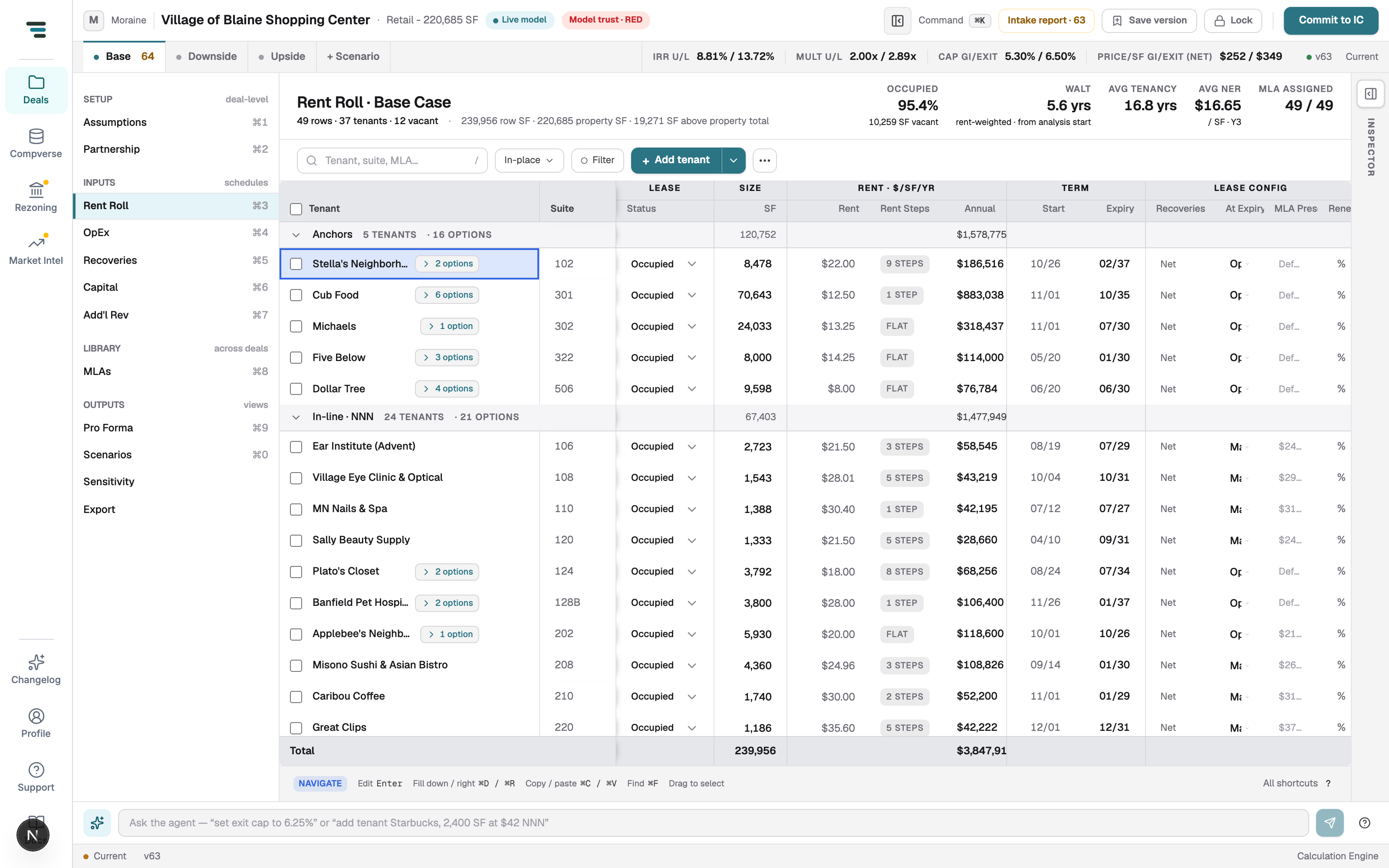
Rent Roll (⌘3) is the tenancy grid: one row per lease or vacant suite, grouped the way the source grouped them (anchors, in-line NNN, …). The toolbar filters by tenant, suite, or MLA, narrows to Occupied or Vacant / lease-up, and keeps a running n of m shown count as filters apply.
Edit a lease
Section titled “Edit a lease”Click a cell and press Enter (or just start typing) — the grid works like a spreadsheet, including fill down/right (⌘D/⌘R), copy/paste as TSV (⌘C/⌘V), drag-to-select, and ⌘F find.
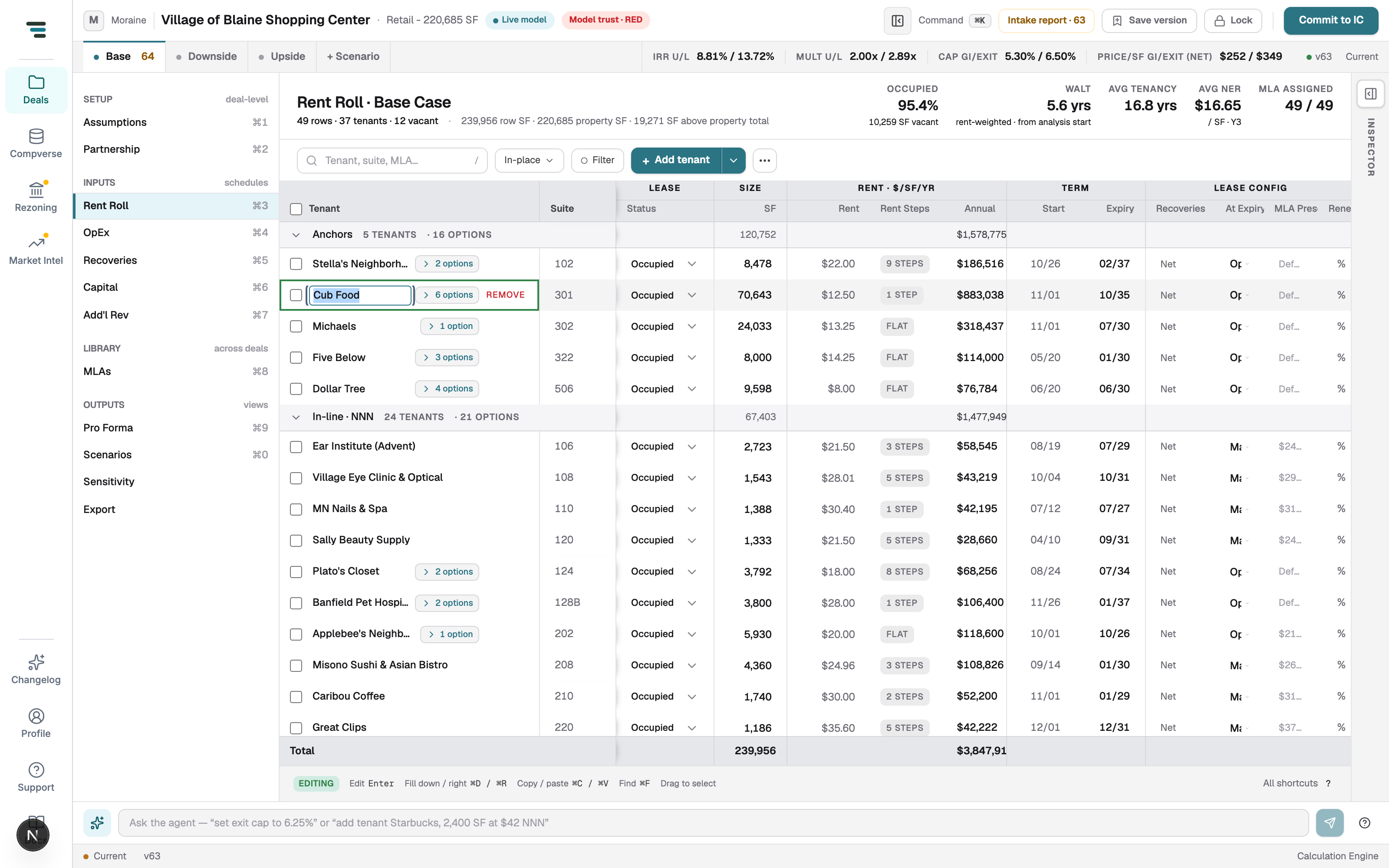
The columns, left to right: tenant (with its options chip), suite, lease Status (Occupied / Vacant / Option), SF, rent $/SF/yr with its Rent Steps chip (FLAT, 1 STEP, 9 STEPS…), the annual amount, term Start/Expiry, and lease config — recovery treatment, what happens At Expiry, the MLA preset, and renewal terms.
Rent steps and options
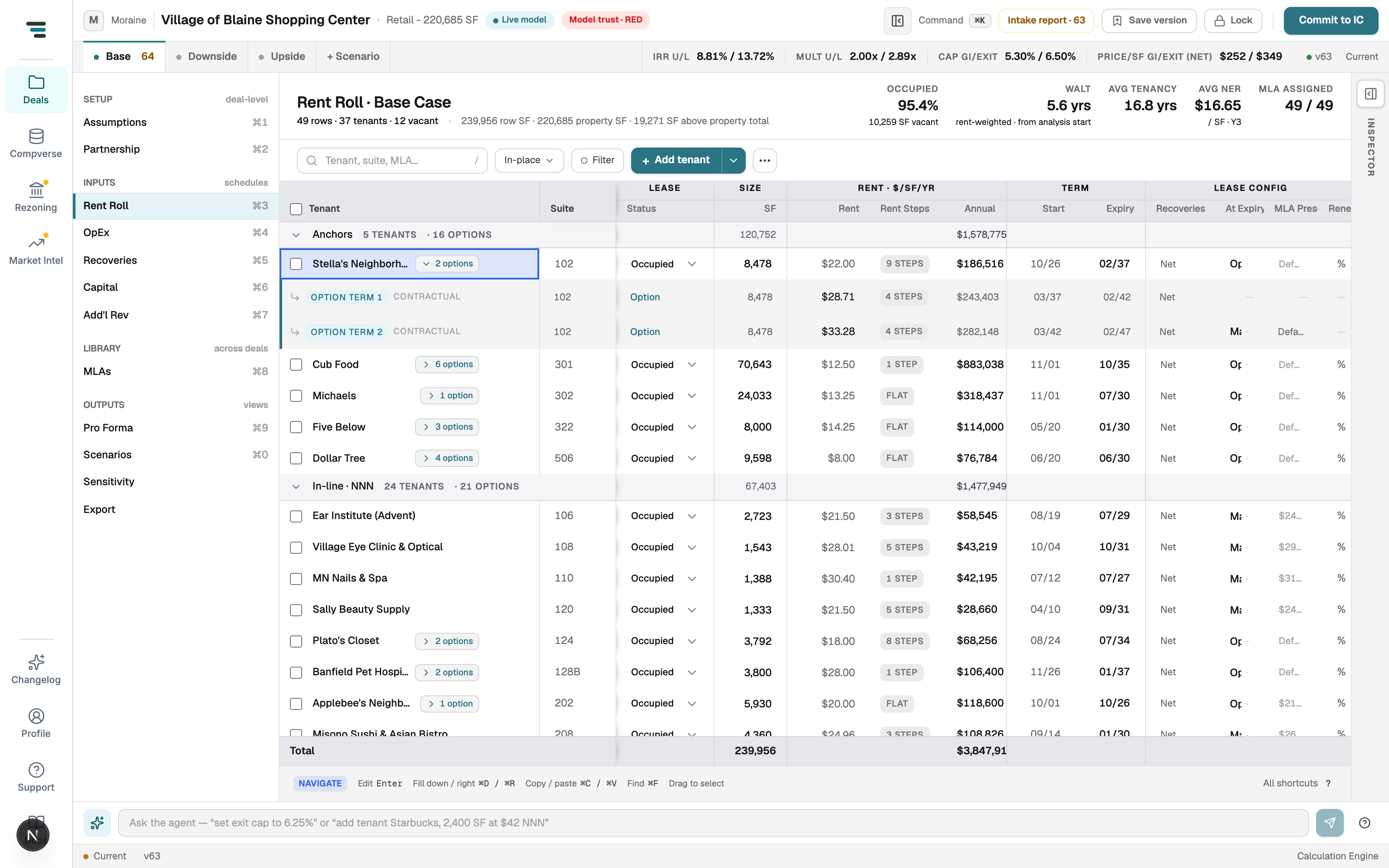
Section titled “Rent steps and options”Click a STEPS chip to edit the schedule behind the headline rent. Click an options chip (e.g. 2 options) to expand the contractual option terms as their own rows:
Add and remove
Section titled “Add and remove”+ Add tenant appends a row (the dropdown next to it offers variants); select a row and REMOVE deletes it. Vacant suites are rows with status Vacant — their income path comes from the MLA assigned to them, so an unassigned vacant row models $0 forever. The MLA assigned header stat catches this.